
Follow these instructions to make an account for Advising & English Practice reservations.
アドバジングや英語練習(English Practice)の予約方法は下記をご覧ください。
1. Follow this link: 各リンクにアクセス:
2. Click “Create a new user account.” “Create a new account” をクリック(Your phone may display these pages in Japanese. 日本語表記になっている場合があります。)
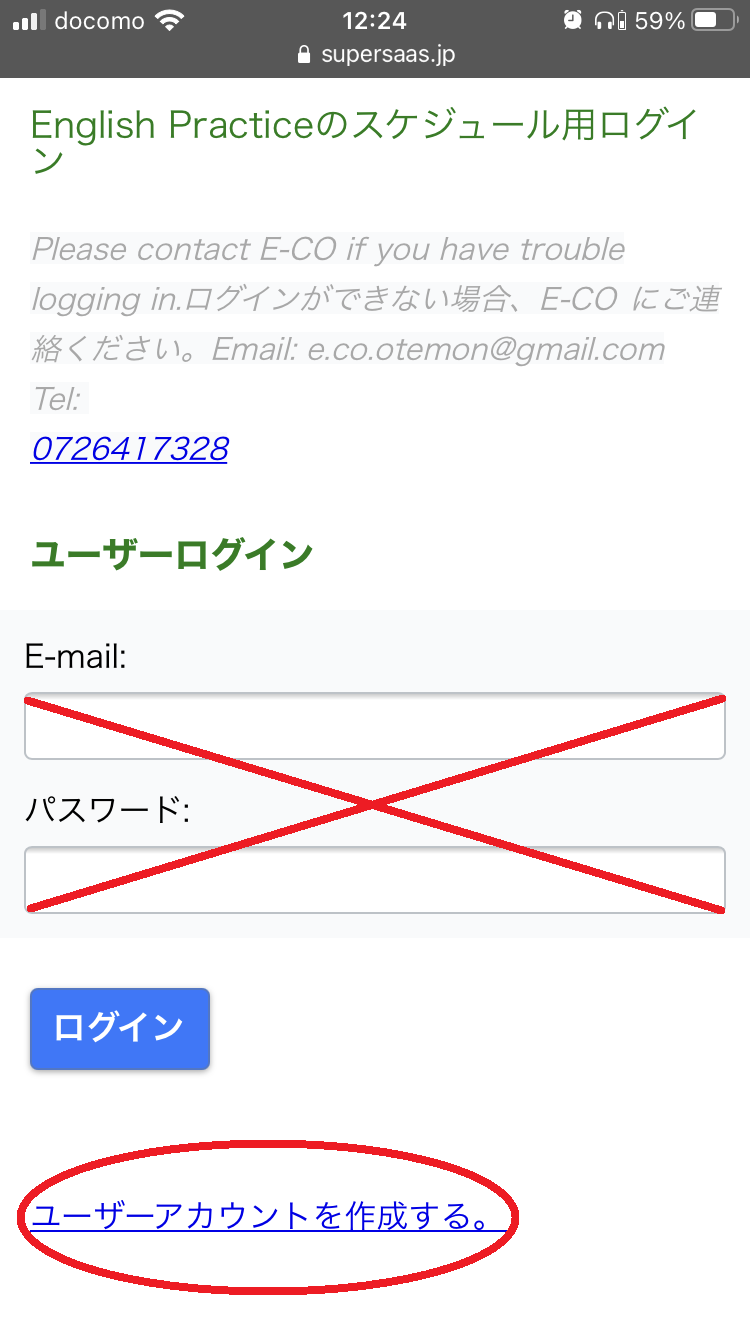
DO NOT input your email address!このページではEmailアドレスを入力しないでください
3. a) Enter all information. b) Click “Create”.
必須項目をすべて入力し、“Create” をクリック
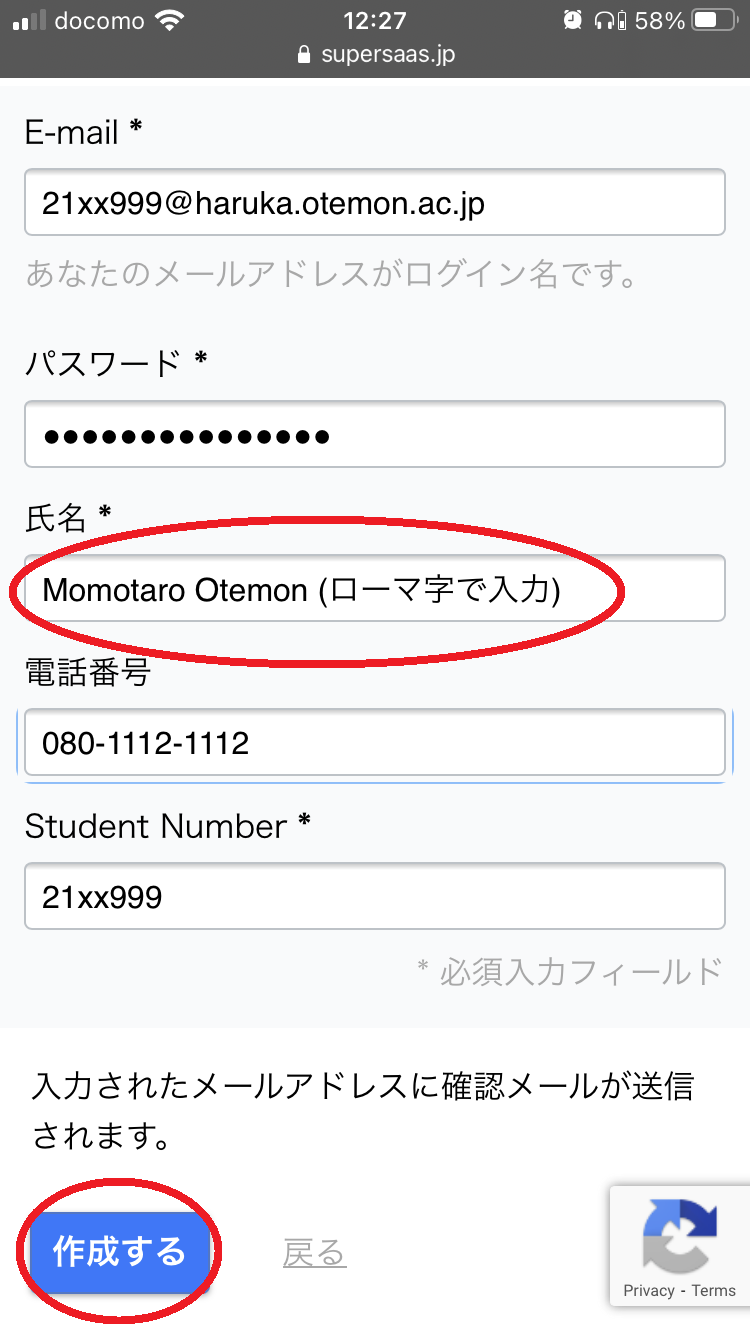
Write your name in Romaji (not Japanese).ローマ字でフルネームを入力
Now you have made an account! アカウントが作成できました!
Making a Reservation
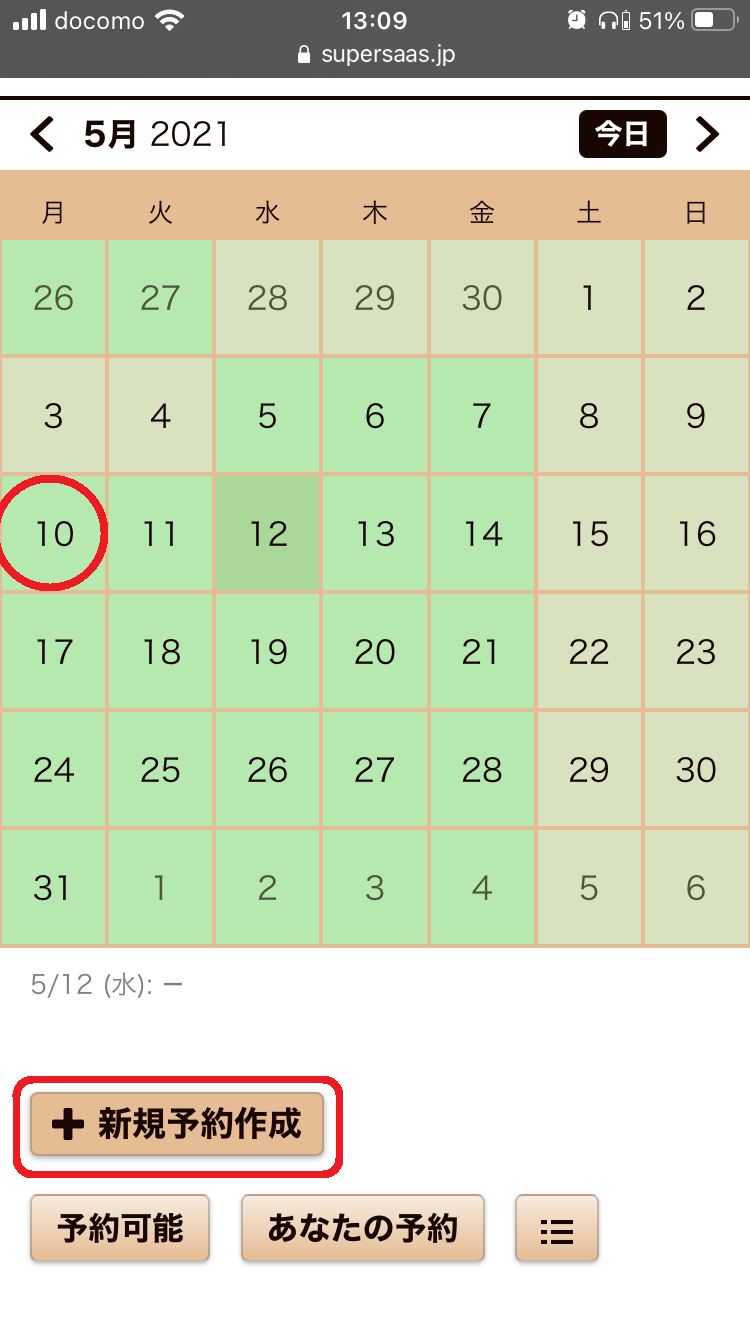
- Select a date for your reservation. 予約したい日付をクリック NB: You must make a reservation at least 2 days in advance. 予約の〆切は2日前までとなります。
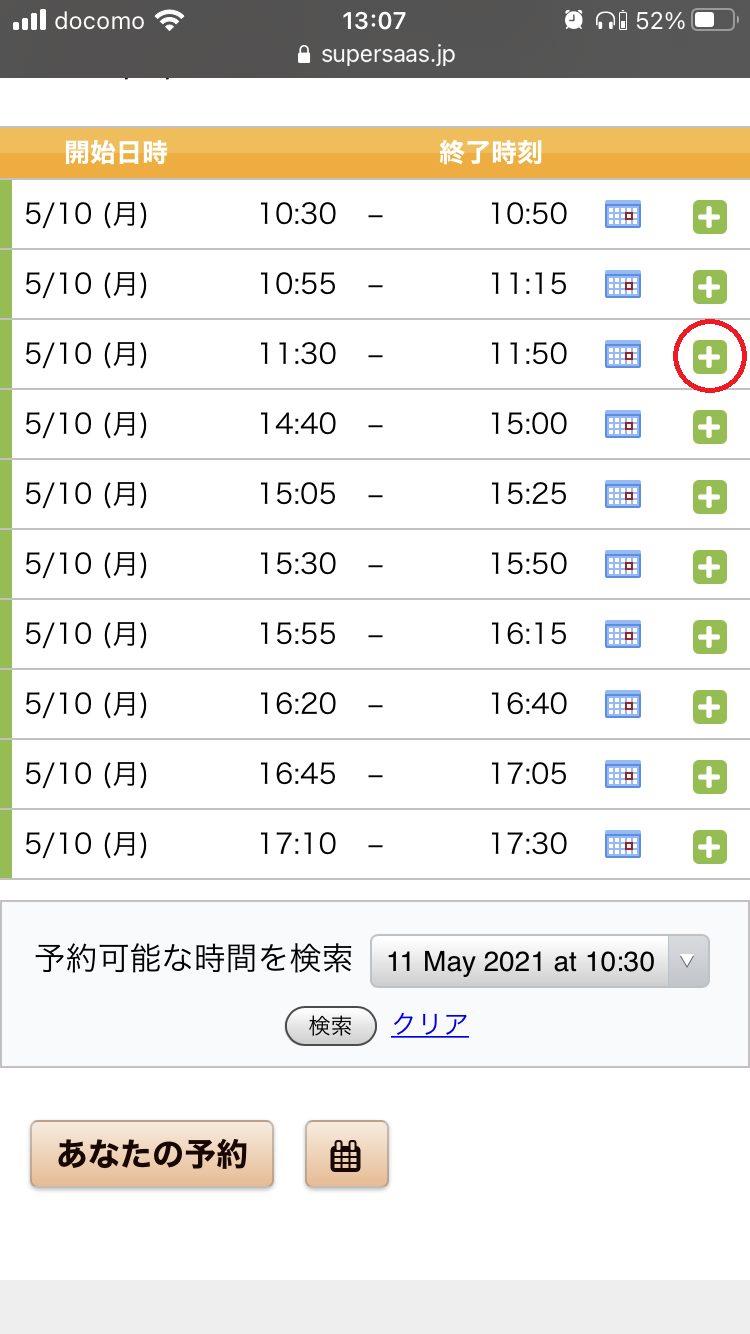
2. Select an available time for your session. 予約したい時間帯をクリック
3. Choose/enter your topic or worksheet. 話したいトピックまたはワークシートのトピック(例: Self intro) を選択/入力
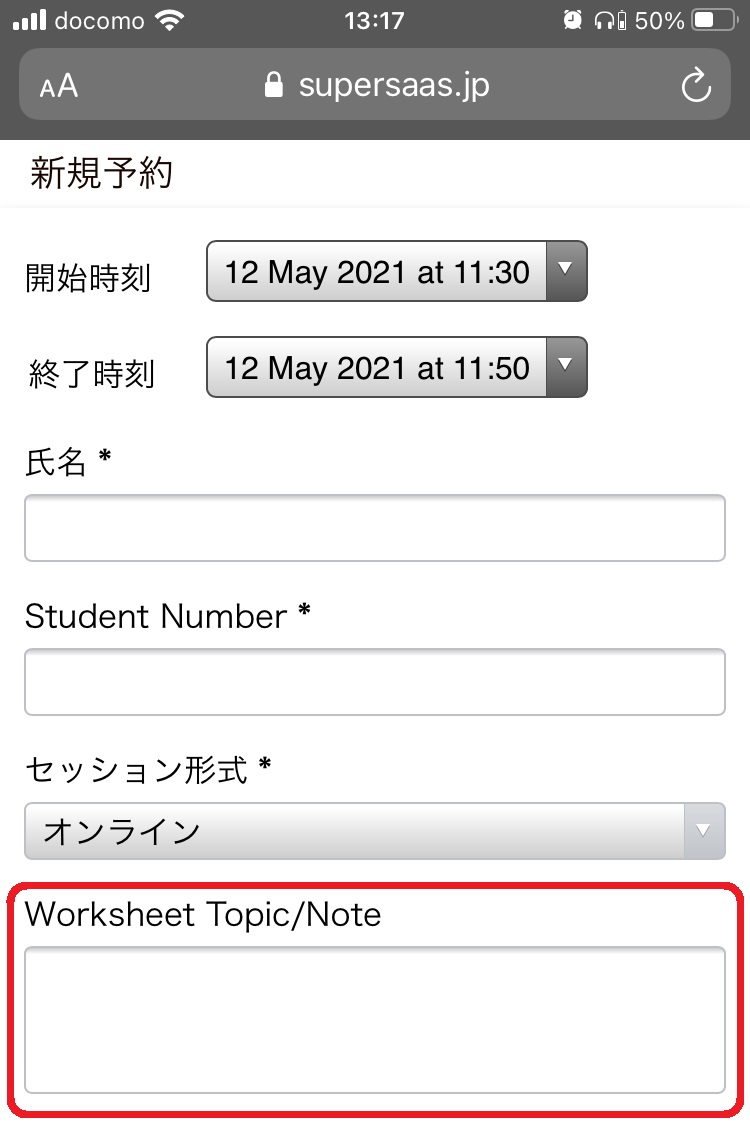
Check here for the Speaking Programme Worksheet list. Speaking Programme トピックワークシートのリストはこちら
(E-CO will send you the worksheet via email. English Practiceのワークシートは予約後にメールでお送りします。)
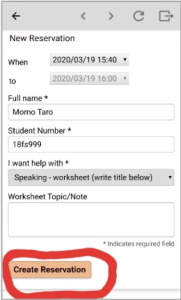
4. Click “Create Reservation”. “Create Reservation”をクリック
5. Make a memo of your session time in your planner/phone.予約したセッション日時のメモを 取りましょう。

